WooCommerce Vs Magento: Which eCommerce platform is best for your business?
WooCommerce vs Magento in 2026: a straight comparison of cost, support, security and scalability, with real WooCommerce migration case studies.
Which eCommerce platform is best, WooCommerce or Magento? For most UK businesses opening or growing an online shop, it’s WooCommerce. We’ve built and migrated online shops on both platforms for years, and the pattern holds: WooCommerce gets a shop trading faster, costs less to run, and now powers 8% of all websites and 47.7% of online stores, against roughly 1.6% for Magento, according to W3Techs. Magento, now split into the paid Adobe Commerce and the free Magento Open Source, is our recommendation only once you’re running a large, multi-region catalogue with a development team to match. Below that, its extra cost and complexity rarely pays off. If what you’re actually planning is a multi-vendor marketplace rather than a single shop, the comparison changes again, and that’s worth reading separately in our guide to whether WordPress still makes sense for a marketplace.
Contents
- Introducing WooCommerce and Magento
- How are WooCommerce and Magento similar?
- How are WooCommerce and Magento different?
- What do you want from an eCommerce platform?
- We’ll woo you with WooCommerce
- WooCommerce Case Studies
- Frequently asked questions

Introducing WooCommerce and Magento
In the red corner is the WooCommerce plugin, which turns a WordPress website into an online shop. It’s used by 8% of all websites and powers 47.7% of all ecommerce sites, according to W3Techs.
And, in the blue corner, is Magento, now split into the paid Adobe Commerce and the free Magento Open Source. Between them they’re used by 0.3% of all websites and power 1.6% of all ecommerce sites, according to W3Techs.
It’s clear from these statistics that WooCommerce has a bigger market share, but when it comes to your eCommerce needs which platform is best? And what does ‘best’ even mean in this context? Let’s investigate.
How are WooCommerce and Magento similar?
In a nutshell, here’s what WooCommerce and Magento have in common:
- WooCommerce and Magento Open Source are both free, open source platforms, so anyone can access the code and adapt it to their requirements. Adobe Commerce is Magento’s paid, commercial product and isn’t open source in the same way.
- Both need you to arrange your own hosting, unless you choose a managed or cloud product that includes it, and both can need paid extensions, add-ons or a paid tier to add functionality.
How are WooCommerce and Magento different?
WooCommerce is a WordPress plugin, which means it runs on self-hosted WordPress software rather than coming with hosting of its own. While we’re discussing plug-ins, here’s our guide to the best WooCommerce plugins. Magento, on the other hand, is a standalone platform, which means you will also need to arrange hosting for your website to go live.
That’s the biggest difference between the pair but perhaps the best way to gauge what sets them apart in more detail is to ask…
What do you want from an eCommerce platform?
Ease of use
Let’s face it, everyone wants an easier life, particularly when it comes to running your business. That’s why you need an eCommerce platform that’s easy and intuitive to use to avoid the cost and time involved with training people to use it.
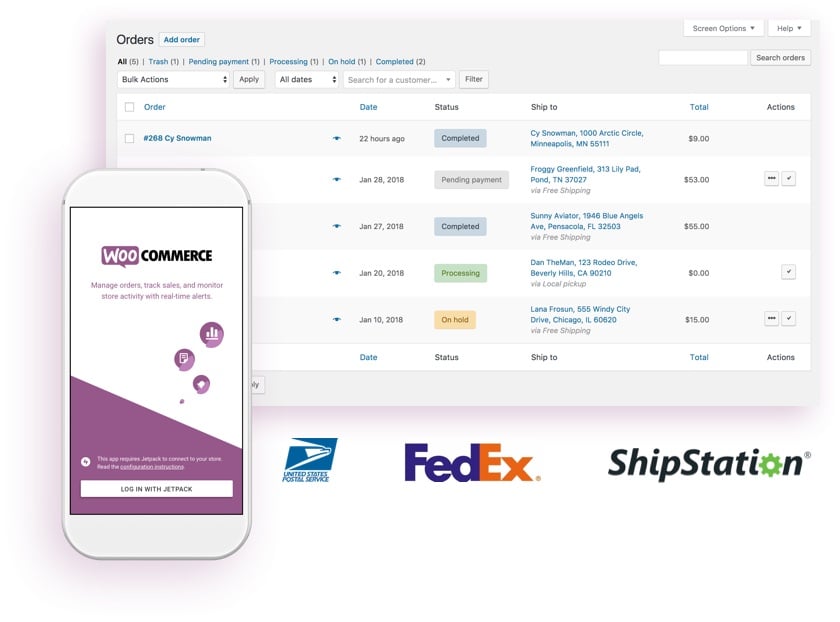
This is where WooCommerce comes into its own, particularly if you’ve already got a WordPress site. WooCommerce provides an installer and setup wizard, but a production shop still needs suitable hosting, payment, tax, security and fulfilment configuration.
As for Magento, well, it’s a little more complicated to set up, particularly if you want to add extensions to utilise its full potential. Magento commonly requires specialist implementation and ongoing technical support; include that work when comparing costs. This brings us on to…
"Code23 rescued an interiors-obsessed creative - with zero tech savvy - but with a big e-commerce vision! The talented team at Code23 assembled my website graphics, layouts and shop brief with a Wordpress e-commerce theme to create a secure, functioning website that I am proud of… They were a pleasure to work with, always at the end of the phone and took my lack of technical knowledge in their stride, guiding me through processes as necessary."
Support
If your level of technical expertise ends at ‘turn it off and on again’ a) that usually works, and b) don’t worry! WooCommerce core has community support through the WordPress.org forums. Eligible Woo products, such as WooCommerce Payments and official extensions, are supported through Woo’s Help Desk, while third-party extensions are supported by whoever built them, according to WooCommerce’s current support guidance. Everything else, hosting and setup included, is down to your host or agency.
Magento Open Source relies on the same kind of community and partner support. Choose Adobe Commerce instead and you get Adobe’s own support team, with the level of service set by your plan.
Value for money
As we mentioned earlier, WooCommerce and Magento Open Source are free to download, while Adobe Commerce is a paid product. None of them come with enough bells and whistles on their own to run your unique eCommerce business, though. The chances are you’re going to want to customise your site with added functionality and plugins.
With WooCommerce, you’ll need to budget for the WordPress hosting plus any extensions or themes you’d like to add, some of which are free. The potential costs for Magento include the annual cost of the paid-for version, Adobe Commerce, plus the hosting cost from a third-party provider.
One thing to note here is that because Magento is a larger application, it typically needs more server resources and higher operational costs than WooCommerce, which can be overkill for small and medium businesses.
Security
Both platforms take security seriously, because a hacked shop or a checkout customers don’t trust costs real revenue. The difference is who’s responsible for keeping it that way.
Magento has been owned by Adobe since 2018, and its commercial product is now called Adobe Commerce, sold alongside the free Magento Open Source. Adobe patches supported versions regularly; at the time of writing Commerce and Open Source 2.4.9 is the current release, patched through May 2029, while older versions drop out of support and stop receiving fixes (Adobe’s version support page). WooCommerce offers direct Help Desk support for eligible Woo products, while hosting, WordPress core and third-party extensions are supported by their respective providers, so security still depends on keeping WordPress, WooCommerce and every plugin patched across whoever manages each part.
Scalability
This is another area where both platforms can perform well, if they’re set up properly. As your business grows, your site needs to stay fast and stable when it gets busy, during a sale, a product launch or the run-up to Christmas, not just on a quiet Tuesday.
Both platforms can scale to add more products, more traffic and more orders, if they're built and hosted for it. WooCommerce needs the right hosting, caching and load testing to get there; Magento's architecture is built with scale in mind, but still needs proper setup, specialist help and its own load testing to deliver that in practice, at the cost discussed above.
We’ll Woo you with WooCommerce
As a Web Design and Development Agency who specialise in building amazing products and online experiences, we recommend WooCommerce and WordPress to the small and medium-sized businesses we work with. It’s easy to use, it doesn’t require an additional content management system (CMS), and it holds the largest share of any ecommerce platform.
Find out more about how we can help design and build an eCommerce store designed around your requirements here.

WooCommerce Case Studies
If you’d like to see some examples of WooCommerce websites we’ve designed and developed at Code23, check out these recent examples:

Frequently asked questions
Is Magento end of life?
No, but the standalone "Magento" brand has moved on. Adobe acquired Magento in 2018 and renamed the commercial product Adobe Commerce in 2021, while the free Magento Open Source kept its name, and both are still actively developed. Adobe currently supports Commerce and Open Source 2.4.7 through 2.4.9, with 2.4.9 patched through May 2029 (see Adobe's supported versions page), while older versions have already passed end of support. Running an unsupported version is the real risk, whichever platform you're on.
What are the disadvantages of WooCommerce?
It depends on you rather than a platform vendor. WooCommerce needs its own hosting, and everything beyond a basic shop, payments, subscriptions, multi-currency, comes from plugins that someone has to choose, update and keep compatible with each other. In our experience, WooCommerce is often cheaper and faster to start, but compare the actual implementation and operating requirements, and it puts the ongoing security and performance work on you or whoever manages your site, not on a built-in support team.
Can WooCommerce handle 50,000 products?
WooCommerce can support large catalogues, but product count alone is not enough to guarantee performance; test search, indexing, checkout and expected order volume. We're rebuilding Plastor's 12,000-product trade catalogue on WooCommerce, and catalogue size on its own rarely turns out to be the ceiling. It's worth load testing with your own traffic rather than trusting a single product count as a limit.
What are the disadvantages of Magento?
Cost and complexity are the main ones. Adobe Commerce is a paid platform, and even the free Magento Open Source needs its own hosting plus a developer to set up, extend and maintain it, considerably more technical overhead than WooCommerce. We usually recommend carrying Magento's additional operational cost only where the documented requirements justify it, which is why it's rarely the right choice for small and medium businesses.
Sources
- W3Techs, WooCommerce usage statistics
- W3Techs, Adobe Commerce (Magento) usage statistics
- Adobe, Commerce and Magento Open Source supported versions
- WooCommerce, how to get help
Next step
If you’re still deciding between WooCommerce and Magento, don’t start by picking a platform. Start by working out what your catalogue, budget and team actually need over the next few years, then match the platform to that.
There are two ways to get that answer. The Marketplace Growth Review is a free 30-minute call that helps you work out whether WooCommerce, Magento or something else fits your business. The Marketplace Growth Plan is the written version: a full review of your catalogue, costs and migration path, credited against your build if you go ahead. We’ve delivered 350+ projects since 2005, including WooCommerce work and a Magento-to-WooCommerce migration for Vintage Roots.
Marketplace Growth Review
Help you work out which platform actually fits
- A 30-minute call about your catalogue and team
- Help judging WooCommerce against Magento for your business
- Full catalogue, hosting and support review
- Migration path and timeline
- Cost comparison, in priority order
- A 90-day plan
- A fixed build or migration price
Marketplace Growth Plan
What to fix, what to migrate and what it costs, in writing
- Full catalogue, hosting and support review
- WooCommerce and Magento cost comparison for your business
- Migration path and timeline, if you're moving platforms
- A 90-day plan
- A fixed build or migration price
- A written plan you can take to your board or investors
Build the marketplace
Start with the workflows that make the model work.
We’ll map buyers, sellers, payments and operations before the build, backed by experience from more than 50 marketplace projects.


