How We Use PostHog for Website Optimisation
Website optimisation that doesn't stop at the dashboard. How we use PostHog to spot problems on a live site, turn them into fixes and check they worked.
How do you use PostHog for website optimisation? You give the data somewhere to go. Analytics, session replay and error tracking show where a site is letting people down, but website optimisation only happens when someone investigates the finding, decides it’s worth fixing, ships the change and checks the result. We use PostHog to watch our own site every morning, a person decides what becomes work, and clients on our Unlimited Growth subscription have a development queue ready for it.
I’m a very big fan of what the guys at PostHog are building.
We’ve had it running on a few of our sites for product analytics, session replay and error tracking, and it’s changed how I look at a live website. A dashboard used to be something I’d open after a launch, or when a client said something felt off. Now a monitor reads our PostHog data every morning and tells us when something looks wrong.
The data was never really the hard part, though. Most websites already collect more behaviour data than anyone acts on.
The fix for a dead button or a broken form step is often smaller than the admin around it. Someone has to notice it, describe it, get it quoted, get it approved and find a slot for it. So it sits in a backlog until the next redesign.
This is how we close that gap: what we watch, how a finding becomes a fix, what we can prove so far and when it’s worth paying for.
-
01 Observe
Collect the behaviour you're allowed to use
Events, recordings, JavaScript errors, dead clicks and whether the enquiry form still delivers.
-
02 Investigate
Connect the number to a likely cause
A recording can explain a pattern. A handful of sessions can't tell you how big it is.
-
03 Prioritise
Decide if it's worth doing
How much the journey matters to the business, and how strong the evidence is.
-
04 Improve
Change the site, with a person's approval
A person approves every release.
The smallest useful change, built, tested and checked before it goes live.
-
05 Measure
Check the original signal again
A reproduced bug can be checked as fixed. A commercial gain needs more evidence.
Contents
- Why website optimisation stalls after the dashboard
- What PostHog gives an investigation
- What our daily PostHog monitor checks
- How a signal becomes a fix
- What the monitor has found so far
- How do you know a fix actually worked?
- What we record, and what we keep out
- Where PostHog is taking this next
- Why this works best on Unlimited Growth
- When this is the wrong tool
- How to start with one journey
- Frequently asked questions
Why website optimisation stalls after the dashboard
Modern analytics produces more evidence than most teams will ever use. Funnels show where people drop out. A replay shows someone clicking a button that does nothing. Error tracking shows an exception on one browser. Three things usually stop that turning into a better website.
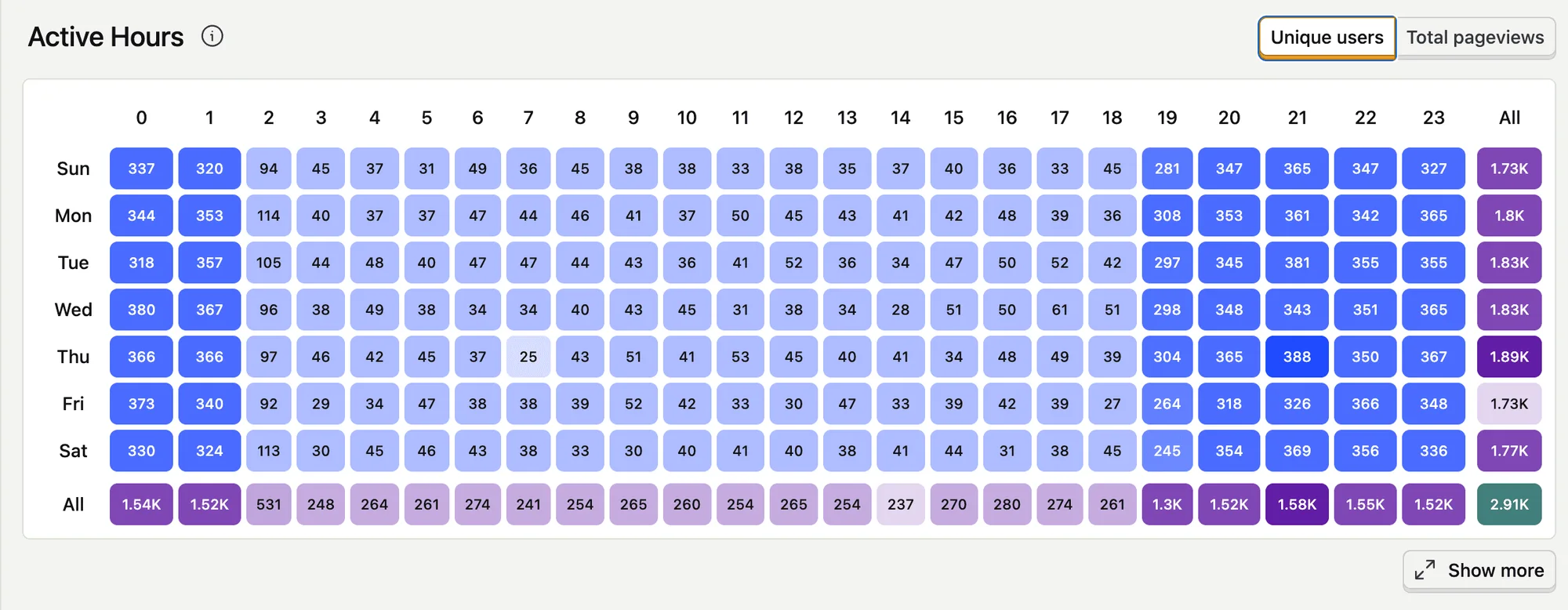
Too much noise. One dramatic recording sticks in the mind, and it might be the only time it happened. Hundreds of minor errors can look alarming while touching no journey that earns money. Without a threshold and a way to group repeats, the team reacts to whichever screenshot arrived last.
Missing context. Browser data can show that someone reached checkout and never saw a confirmation. On its own it can’t tell you whether the card was declined, the bank’s security check was abandoned, or the order went through and only the confirmation event failed. That answer lives in the payment logs, order records or CRM.
Nowhere for the work to go. In most companies marketing owns the analytics, a product owner keeps the backlog, an agency estimates the change and a developer gets the ticket weeks later. By then nobody remembers why it mattered.
Good analytics deals with the first two, as long as the events can be trusted. The third needs development capacity that’s already in place.
What PostHog gives an investigation
We use PostHog because several kinds of evidence sit on the same events, so one problem doesn’t have to be pieced together from three different tools.
- Product analytics covers trends, funnels, retention and paths, so we can start from a change in behaviour rather than opening recordings at random.
- Session replay shows the journey around an event: a hidden button, an error message nobody could act on, a click that produced nothing. It explains a pattern. A few sessions don’t prove how big it is.
- Error tracking ties JavaScript exceptions to the events and replays around them, so whoever picks it up can see what happened before the error instead of recreating it from a one-line complaint.
It doesn’t replace everything else. Search Console, ad platforms, the CRM and payment logs answer other parts of the commercial question. PostHog tells us what people did once they arrived.
What our daily PostHog monitor checks
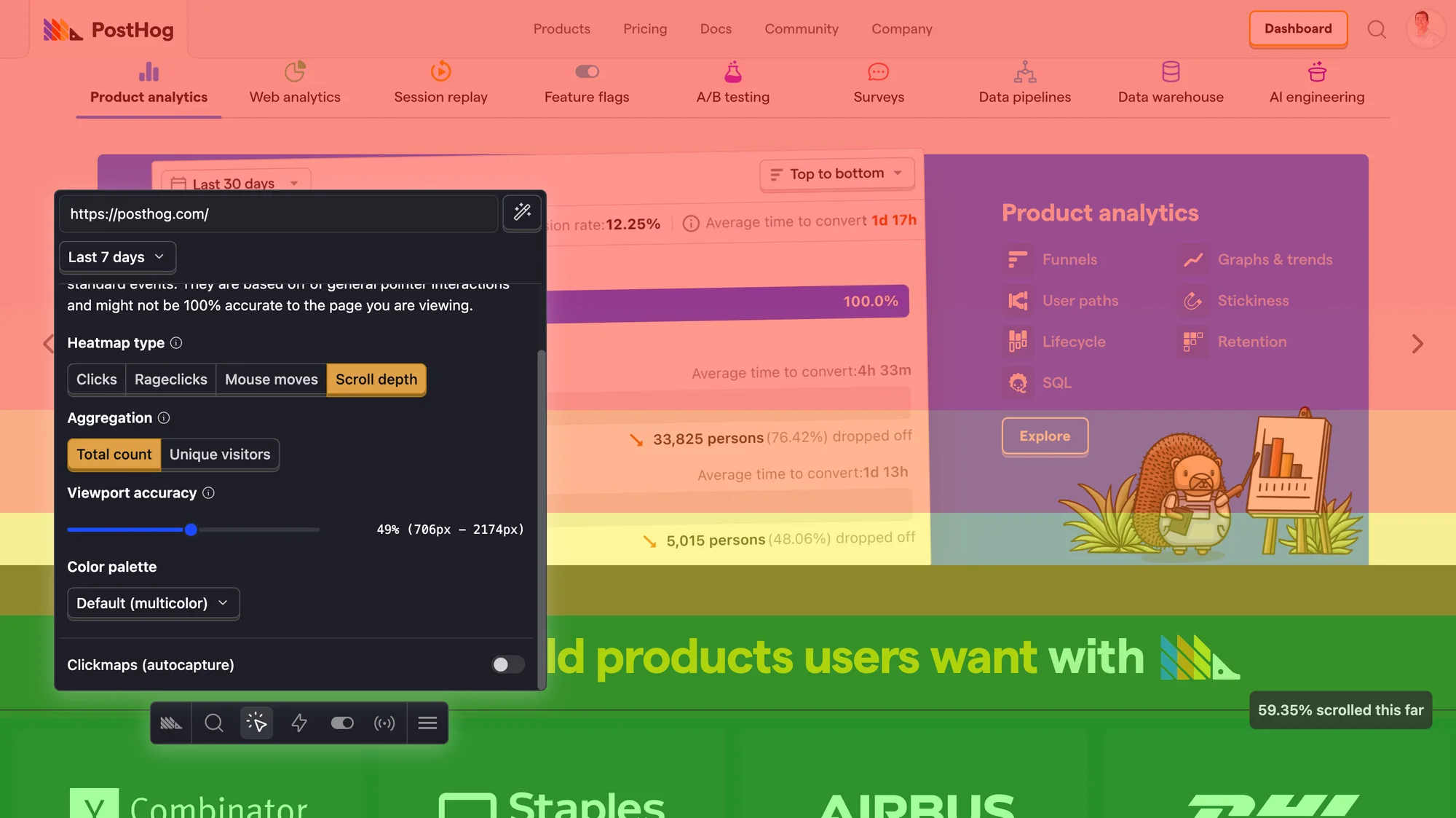
Every morning a monitor reads the PostHog data for code23.com. It only counts the live site, so preview builds and testing on other addresses are ignored. It checks five things.
| Signal | What we’re looking for | What happens next |
|---|---|---|
| Fresh data | Events still arriving from the live site | If nothing has arrived for 36 hours, we check consent, deployments and tracking before trusting any report |
| Session replay | Recordings still being captured | Pageviews with no recordings means we check the capture settings |
| JavaScript errors | A jump against the week before | Repeated failures are grouped and judged on how much risk they carry |
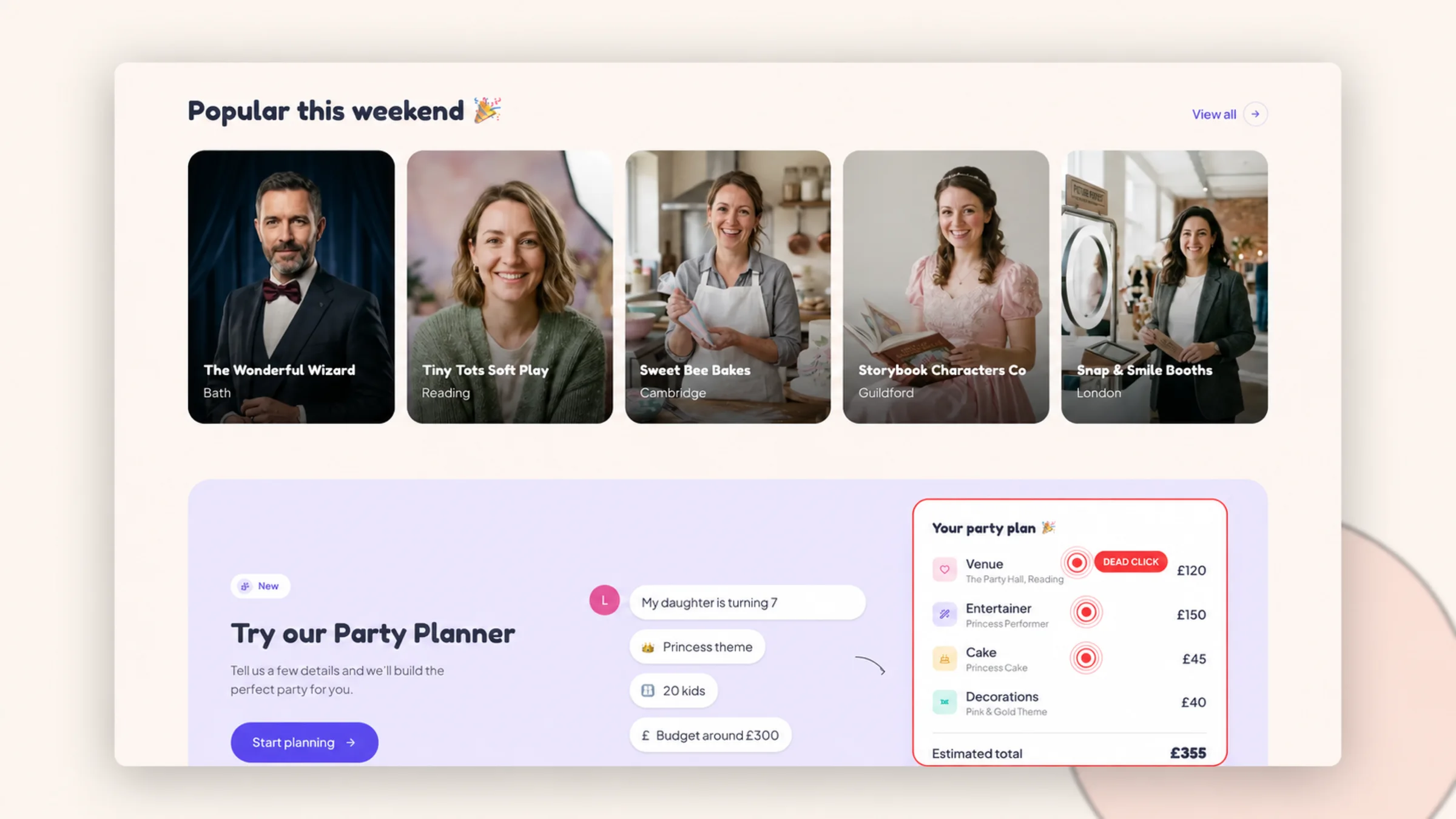
| Dead clicks | People clicking things that don’t respond | At least eight in a week, and at least 8% of pageviews, before it counts. Then someone reproduces the journey |
| Contact-form delivery | Starts, submissions and successful sends still adding up | A failure rate above the threshold means we test the form end to end |
The thresholds are deliberately cautious. Our analytics only runs for visitors who accept cookies, so the numbers are smaller than our real traffic, and a percentage on a tiny sample means nothing. Every rule needs a minimum amount of data before it can raise anything.
When a pattern clears the bar, it’s tagged so the same problem can’t open a fresh task every morning for a week. The task says what appeared, where, and which threshold it crossed. It never contains recordings, session IDs, IP addresses or anything anyone typed into a form. The monitor doesn’t watch recordings at all. If a developer needs to see a replay, they open it in PostHog with the right access.
Right now the daily run is in report-only mode: it writes up what it saw and a person decides what becomes a task. It has opened one task on its own so far, which I’ll come to.
That’s our own site. On a client site, the checks follow the journeys that earn the business money, and what gets captured is agreed with the client first.
How a signal becomes a fix
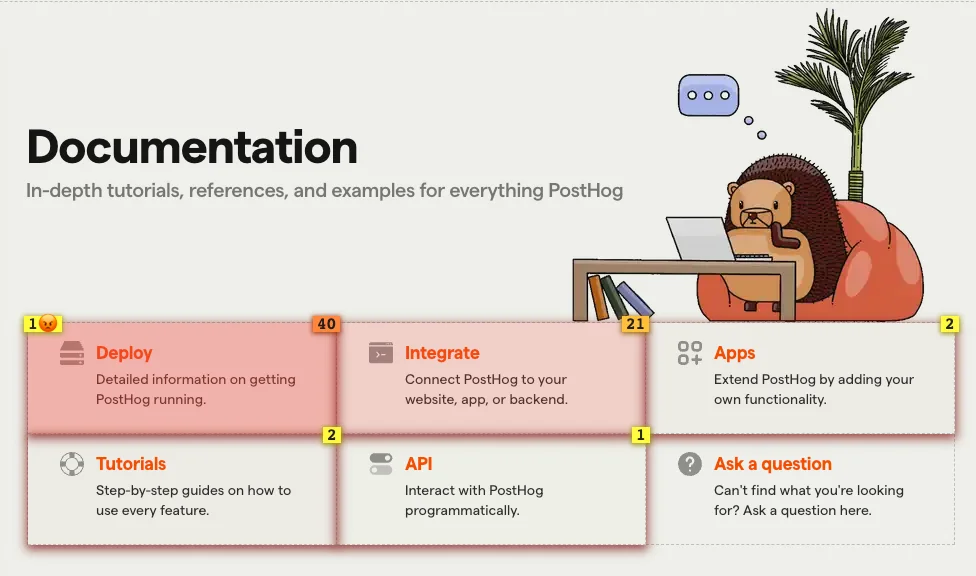
The monitor can raise a task. It can’t decide the task matters, choose the fix or release it. A person does that.
Signals arrive
The same fault can raise more than one card.
Matching cards group
The same dead click meets its twin.
Duplicate set aside
A repeat doesn't become a second task.
Dead click, set aside
Human review
One card waits for a person.
Dead click to investigate
Two matching dead clicks were grouped, the duplicate was set aside, and one card is waiting for a person.
Before a finding gets the active development slot, we ask five questions.
- Does it touch a journey that matters? An error on checkout, enquiry, booking or login costs far more than a cosmetic fault on a quiet archive page.
- Is it repeated or reproducible? A pattern across sessions, devices or days beats one odd recording. A bug we can reproduce can justify action from a small sample, especially if it blocks an enquiry or a payment.
- Can we name the cause? If conversions dropped the week a campaign changed, redesigning the form is guesswork. Deployment history, device and channel splits and the connected systems come first.
- Is the change in proportion? Some problems need a label or a clearer error message. Others show that the page structure no longer fits the offer. Continuous improvement shouldn’t disguise a redesign as fifty tiny tickets.
- How will we know it worked? Every accepted change needs something we can check afterwards: fewer errors, the form delivering again, the dead-click pattern gone.
Once a finding is accepted, it goes through the same process as everything else we build. We reproduce it, find the cause, make the smallest useful change and run the automated checks, then a named person approves the release. Agents help us investigate and build inside that process. They don’t get the release decision. Our AI agent build log shows the same process on the rebuild of this site.
If the bigger question is lifting conversions, our guide to improving a website’s conversion rate covers funnels, segments and testing properly.
What the monitor has found so far
The day we launched the new code23.com in August, the monitor flagged dead-click friction: 19 dead clicks across 143 pageviews in the previous seven days, about 13%, well past the 8% bar. It opened a development task on its own, with the aggregate numbers, the rule it tripped and a checklist for whoever picked it up.
What it saw
19 dead clicks in 143 pageviews over seven days, over the threshold. The monitor opened a task.
What we found
A week later, two busy sessions accounted for a big share of the dead clicks, and one of them went through a private review page that isn't linked from the site. The Services menu had dead clicks before an iPad fix we shipped two days after launch, and two afterwards that we couldn't reproduce.
What we did
Closed the task without shipping another change. The rate fell from 15% in the first five days to about 3% in the last three. The monitor keeps watching.
That’s a less exciting ending than “we found a bug and conversions went up”, but it’s what happened. The monitor did its job: it spotted a pattern and handed it to a person. The person’s job was to work out whether there was anything to fix, and this time the answer was mostly no.
We didn’t ship a speculative change to make the chart look better, and we don’t claim the iPad fix removed every dead click on that menu. If two or more dead clicks land on the same element again and we can reproduce the fault, we open a fresh task.
How do you know a fix actually worked?
Two different claims get muddled here.
A bug you can reproduce can be checked as fixed. Take the same journey on the same kind of device, and the button now responds. That’s a check against the fault you started with.
A commercial improvement is a harder claim. You need to know how many chances there were, not just how many failures you counted. You need a fair comparison window, the segments that matter, such as device, channel or campaign, and the uncertainty stated plainly, including when the sample’s too small to tell a real change from noise.
Plenty of things move the chart without the site getting any better: consent rates, how much traffic you’re actually capturing, campaigns, seasonality and changes to the tracking itself. Fewer dead clicks could mean a better interface. It could also mean fewer visitors, or a button that’s moved out of the area you’re measuring.
So when the smaller fact is all we’ve got, that’s what we report. “The form delivers again” is worth more than a conversion percentage the business hasn’t earned.
What we record, and what we keep out
Behaviour data turns invasive when a team records everything the tool allows. We start the other way round: capture what’s needed to improve the site, protect it in the browser and keep personal detail out of tasks.
The UK Information Commissioner’s Office has a narrow exception for statistical analytics used to improve a service, with conditions attached. It covers aggregate figures. It doesn’t cover recordings of individual visitors, or tracking and profiling people.
On code23.com we go further than that and keep all PostHog capture, session replay included, behind consent. That’s our policy for our setup. Other sites, with other tools, can have good reasons to do it differently. Our data sits in PostHog’s EU cloud, we honour Do Not Track, and anonymous visitors don’t get a person profile.
PostHog’s replay privacy controls run in the browser, so masked content never reaches PostHog. We mask every input field, and we can mask or block anything else on the page. Masking inputs doesn’t hide ordinary page text or URLs, so account areas and anything that shows personal details need their own rules, and we check those by hand.
Our events go through a first-party proxy on our own domain. PostHog’s proxy guidance explains how that stops ad blockers quietly dropping analytics. It doesn’t change who processes the data or what we have to tell visitors. Our privacy policy is the public record, and the technical setup has to match it.
Where PostHog is taking this next
This is the part I’m most excited about.
PostHog calls it a self-driving product. Signals are grouped into reports, an agent gets the context to investigate, a pull request opens when there’s something to fix, a person is asked when there isn’t, and the result is measured after release. The self-driving inbox is where a human reviews the work, and PostHog says nothing ships without that review.
When I checked in September, PostHog said it was running more than 90 scouts against its own product, and that reports about posthog.com can become pull requests in the repository that builds it. I always want to see a company use its tools on itself, and they are. It’s still in open beta, and that’s their evidence about their product.
Our loop today is simpler: PostHog data, our own monitor, Linear and the build process we already trust. It’s the same shape, though, and I expect the two to get a lot closer.
Why this works best on Unlimited Growth
The loop breaks when every small finding needs its own quote. Someone spots the problem, we investigate enough to estimate it, the client approves a small piece of work, it waits for a slot, and by the time it ships the context has gone cold. That’s fine for occasional project work. It’s hopeless for a steady run of small, evidenced changes.
Unlimited Growth gives the site a standing development queue.
| Unlimited Growth | |
|---|---|
| Price | £1,850 a month |
| Requests | Unlimited, worked through one at a time |
| Turnaround | 24-48 hour average on tasks sized to fit |
| Term | Three months, then rolling monthly |
The turnaround is for the task being worked on, not the whole queue. A big project split into small tickets is still a big project, and everything has to fit the scope we’ve agreed with you. PostHog helps us choose what deserves the next slot. The subscription is the capacity to act on it, and our design system, tests and release process mean each change doesn’t start from scratch.
It isn’t right for everyone. It makes sense when three things are true: there’s a real backlog worth working through, the site earns enough to justify a monthly fee, and someone on your side can make decisions. A quiet site with one reproducible bug needs a one-off fix, and we’ll tell you that. For the wider picture, our guide to website maintenance costs in the UK compares keeping a site running with having development time on tap.
When this is the wrong tool
- The site gets very little traffic. Thin data can’t show a reliable pattern. Customer interviews, a usability test or a clearer plan for getting visitors will teach you more.
- The offer is the problem. A replay can show hesitation. It can’t make an unwanted product compelling or fix a price the market won’t pay.
- The cause is in another system. PostHog might show someone leaving during payment. The gateway logs and order records show what happened next, and we reconcile them rather than force analytics to answer a question it can’t.
- Nobody can make the call. Reports turn into noise when no named person will prioritise and approve the work. Our AI agent QA guide makes the same point about testing.
How to start with one journey
You don’t need a self-driving setup to begin. A small loop works if someone owns it.
- Pick one journey that earns money: enquiry, checkout, booking, signup or activation.
- Define success as the finished outcome, such as a delivered enquiry, not just the button click.
- Track each step with consistent names, and test that each one fires once.
- Add privacy-controlled replay or simple feedback around that same journey.
- Set a review rhythm that a named person will actually keep.
- Write down what has to be repeated, reproducible or commercially serious before it becomes work.
- Give every accepted finding an owner and a way to get released.
- After a change, check the original signal and the system of record.
Tools can collect and sort the evidence. The improvement starts when someone has the authority and the capacity to act on it.
Frequently asked questions
How can I optimise my website?
Start with one important journey. Make sure the finished outcome is measured, find the biggest repeated source of friction, ship the smallest safe fix and measure that journey again. Analytics shows the pattern, replays and feedback show the context, and a development queue turns the finding into a change.
What’s the difference between website optimisation and SEO?
SEO is about how search engines find and understand your site. Website optimisation also covers conversion, usability, accessibility, speed, reliability and the journeys people take after they arrive. The two overlap, and SEO is one part of the wider job.
What does a session replay prove?
It shows what one journey looked like: a dead click, a hidden control, an error message nobody could act on. On its own it doesn’t prove how often that happens or whether fixing it will increase conversions. Use it to explain a pattern you’ve already counted.
Does PostHog replace Google Analytics?
Not as a rule. PostHog is strong on product behaviour and the context around events. GA4 and ad platforms can still be the right tools for acquisition and campaigns. The stack should follow the decisions the business needs to make.
When is a one-off fix better than a subscription?
When the site has little traffic, or there’s one reproducible bug and no real backlog behind it. A development subscription pays off when improvements keep coming, the business value supports a monthly fee and someone can choose what’s next. The current subscriptions are on our Support & Growth page.
Sources
- ICO guidance on storage and access technology exceptions
- PostHog product analytics documentation
- PostHog session replay documentation
- PostHog session replay privacy controls
- PostHog error tracking documentation
- PostHog self-driving documentation
- PostHog self-driving inbox documentation
- PostHog reverse proxy documentation
- PostHog product screenshots are from the PostHog documentation, © PostHog Inc., used under the MIT licence that covers its docs content.
Next step
If your site has traffic, a list of things you’d fix if you had the time and someone who can choose what’s next, Support & Growth is the place to start. Tell us about the site and we’ll look at what you’re measuring, where the evidence runs out and whether a monitored development queue fits. If a single fix would do the job, we’ll say so.
Continuous website improvement
Turn your website data into shipped fixes.
If your site has traffic, a list of things you'd fix if you had the time and someone who can make the call, Unlimited Growth gives it a standing development queue. Tell us about the site and we'll tell you if it fits.