How Do I Optimise My Website for Conversions?
Optimise website conversions by defining the outcome, checking tracking and diagnosing the leak before you choose CRO, a technical fix, UX work or a rebuild.
Define the commercial outcome first, prove your tracking is telling the truth, then diagnose where intent dies. Only after that should you choose conversion rate optimisation (CRO), a focused technical fix, UX or design work, or a wider rebuild. Button-colour folklore is not a strategy.
Short summary
- Name one primary conversion and the money or pipeline outcome attached to it.
- Validate analytics and form or checkout completion events before you treat a low rate as a design problem.
- Diagnose by page intent, acquisition-message match, funnel stage, device, channel and real user evidence.
- Fix hard defects immediately. Run evidence-led CRO on working journeys. Escalate to UX or a rebuild when the template or stack is the constraint.
- Performance and accessibility matter because they remove friction. They are diagnostics and quality bars, not guaranteed conversion lifts.
What “optimise for conversions” actually means
A conversion is the action that matters commercially: a purchase completed, a qualified enquiry submitted, a demo booked, a signup confirmed. Traffic without that action is just cost.
CRO is the discipline of finding where willing visitors stop, removing the cause, and measuring the result. It is not a synonym for “redesign the homepage” or “test every button colour”. For the operational playbook of finding leaks and shipping fixes in the codebase, see how to improve your website’s conversion rate. This page is the decision guide: what to do first, and when CRO is the wrong tool.
1. Define the primary conversion and the commercial outcome
Write one sentence that names the event and why it matters.
Examples:
- “Purchase completed with payment captured” → revenue.
- “Quote form submitted with a valid work email” → sales pipeline.
- “Demo booked and held” → qualified conversations.
- “Newsletter confirmed” → owned audience, not a sale.
If two teams use different events, you do not have a conversion rate. You have an argument.
Keep secondary micro-conversions for diagnosis only: add to cart, pricing-page view, start checkout, scroll to proof. They show where the leak sits. They should not replace the commercial event in the headline KPI.
Also write the commercial frame around the rate: revenue per visitor, cost per enquiry, lead quality, or booked-call rate. A higher form rate that fills the CRM with junk is not progress.
2. Validate tracking before you trust the rate
A “low conversion rate” is useless if the event never fires, fires twice, or fires on the button click instead of a successful completion.
Check, in order:
- Definition. The key event matches the commercial outcome above.
- Completion, not intent. Form success or checkout confirmation, not “Submit clicked”.
- Duplicates and gaps. One success should not register twice. A successful path should not vanish in analytics.
- Device and browser. Test the real mobile path, not only desktop staging.
- Consent and tags. After cookie banners and tag changes, re-check that conversion events still fire for consented journeys.
- Reconciliation. Spot-check website events against CRM opportunities, booking tools or order systems.
Until that list is clean, pause the redesign debate. You may be about to “fix” a measurement bug.
3. Diagnose the leak with evidence, not opinions
Work through the journey in this order.
Page intent
What is this URL for? A paid landing page, a service page, a product page, a blog post and a checkout step have different jobs. Judging them with one sitewide rate hides the useful story.
Acquisition-message match
If the ad, email or search snippet promised one thing and the page leads with something else, you paid for intent and then diluted it. Headline, hero, proof and primary call to action should continue the promise that earned the click.
Funnel stage
Map the steps required for the primary conversion. Find the largest absolute drop-off. That is usually the first place worth attention, not the chart that looks dramatic as a percentage of a tiny remaining audience.
Device and channel
Mobile and desktop often fail for different reasons. Paid, organic, referral and email traffic arrive with different intent. A flat sitewide number can hide a collapsing mobile checkout and a healthy desktop lead form.
User evidence
Session recordings, heatmaps, support tickets, sales call notes and short user tests are prompts for hypotheses. A handful of dramatic sessions is not a mandate to redesign everything. Sample across devices and channels, then write a specific claim you can test or fix.
4. Fix what actually blocks conversion
Once tracking is trustworthy and the leak is named, work the levers below. Skip the ones that do not match the evidence.
Messaging and value proposition
Visitors need a plain answer to: what is this, who is it for, why should I act now, and what happens next. One primary action per template beats a page that asks for a purchase, a newsletter, a chat and an app download at once. If the offer itself is weak, unclear or uncompetitive, CRO will not rescue it forever.

Forms and checkout
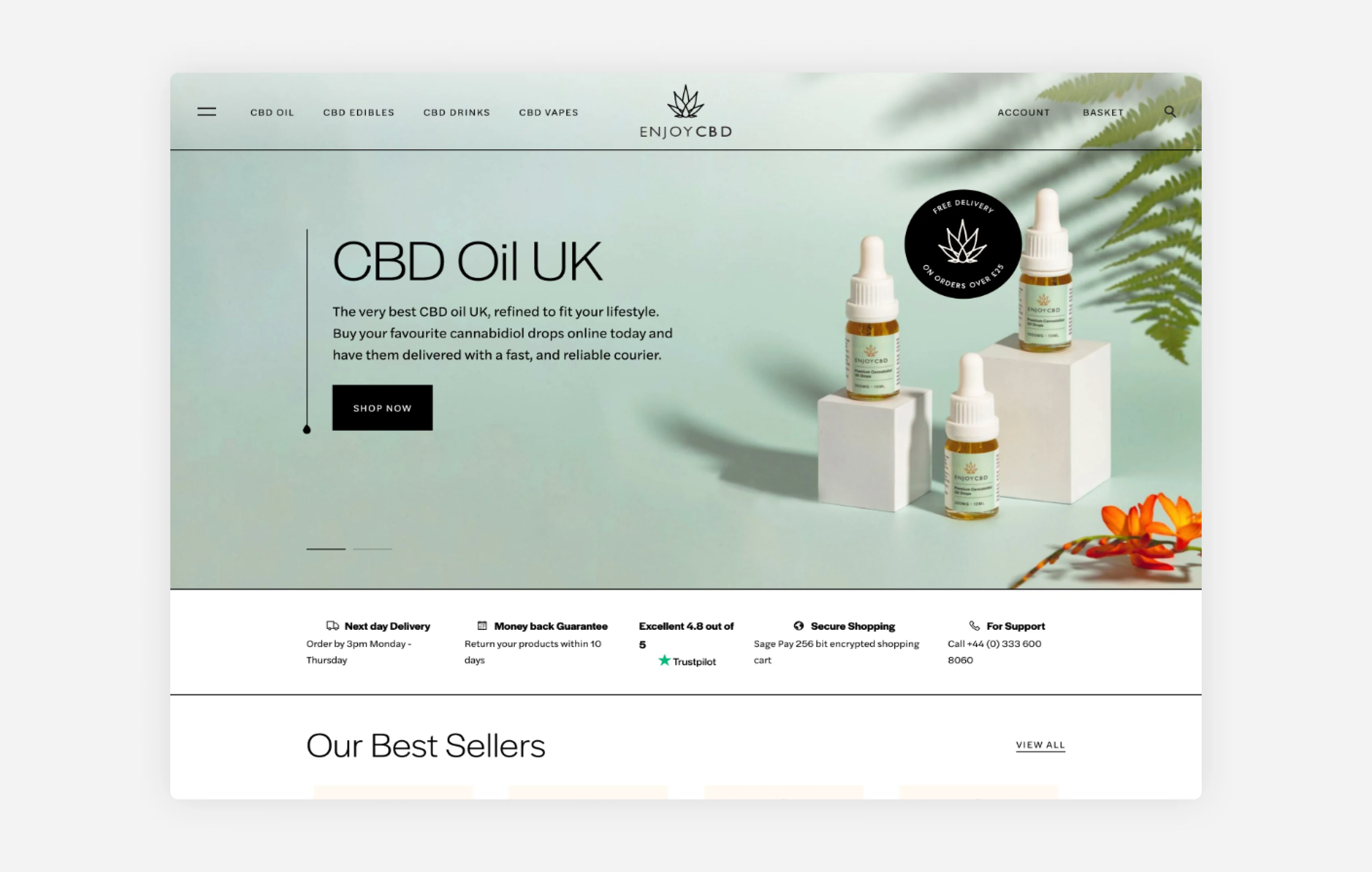
Ask only for information you need. Make each question clear. Preserve back or edit behaviour so people are not forced to re-enter data. That is the same practical standard GOV.UK sets for question pages: clear questions, necessary fields, and recoverable navigation. Guest checkout, useful error text and labels humans can parse remove more friction than decorative form redesigns.
Proof and trust
Put specific proof next to the decision: named outcomes, named clients with permission, review volume with substance, delivery or warranty terms you can stand behind. Vague logo walls and “trusted by industry leaders” blocks rarely answer the buyer’s risk.
"We wanted to update our site to an ecommerce site with the latest social media links. James had previously built our site so changes like these could be made with the least disruption and cost. We were thrilled with the results. As always James took the trouble to clearly understand our needs."
Mobile UX
If most sessions are mobile, most hypotheses should start there. Tap targets, sticky bars covering the call to action, inputs that zoom, and multi-step forms that fight small screens are conversion defects, not polish.
Performance
Treat experience metrics as diagnostics. Google’s current “good” Core Web Vitals thresholds are Largest Contentful Paint (LCP) under 2.5 seconds, Interaction to Next Paint (INP) under 200ms, and Cumulative Layout Shift (CLS) under 0.1. See Google Search Central on Core Web Vitals. Those thresholds describe experience quality. They do not promise a conversion increase on their own.
Use field data from real users as the source of truth for how the site behaves in production. Lab tools help you diagnose why. That distinction is spelled out in web.dev’s Web Vitals guidance. A green synthetic score does not prove the live journey is healthy.
Accessibility
WCAG 2.2 is the current W3C recommended standard. Accessible forms, focus states, contrast, keyboard paths and clear errors reduce avoidable barriers for real customers. Do not invent an uplift percentage. Treat accessibility as quality and risk reduction that also protects conversion.
Experimentation
Test meaningful changes when traffic can support a decision. Pre-register the hypothesis, pick a primary metric and guardrails, and decide the stop rule before you peek. Underpowered tests, overlapping experiments on the same step, and stopping on a lucky spike all produce false confidence. Obvious bugs are not A/B opportunities. Fix them, then measure.
5. Hard defects vs cosmetic CRO changes
Separate the work into two buckets.
Ship fixes before experiments
- Broken submit buttons or validation that blocks good answers
- Payment, booking or CRM failures on the success path
- Missing or double-counted conversion events
- Layout shift that moves the primary button as people try to tap it
- Cookie banners or chat widgets covering the action on small screens
- 404s on call-to-action targets
Hypothesise and measure
- Headline and offer clarity
- Proof placement and specificity
- Form length and field wording
- Page structure and information hierarchy
- Landing-page match to a campaign promise
If the path is broken, you do not need a multivariate debate. You need a fix. Cosmetic advice that starts with button colour, while forms fail on iOS Safari, is how CRO gets a bad name.
6. Choose the right remediation path
Use the evidence, not the loudest stakeholder opinion.
| What the evidence shows | Prefer this path | Why |
|---|---|---|
| Tracking gaps, broken forms, payment errors, severe speed or stability issues on the conversion path | Focused technical remediation | Hard defects. Measure after the fix; do not dress them up as experiments. |
| Working journey, clear offer, measurable drop-offs you can change in the live templates | Evidence-led CRO | Change one coherent bottleneck at a time and read the result over a fair window. |
| Confusing information architecture, weak message match, thin trust, awkward mobile journeys, pages that fight the task | UX / product design improvement | The template and interaction model are the constraint, not a single copy tweak. |
| Outdated stack, brand and structure that no longer match the business, or a site that cannot ship the journeys you need | Wider website rebuild | Incremental CRO on the wrong foundation wastes months. |
A useful rule: if you cannot name the constraint in one sentence, you are not ready to buy a redesign. If you can name it and it is a defect, fix the defect. If you can name it and it is a testable message or layout problem, run CRO. If the same constraint keeps surviving honest CRO passes, escalate to design or rebuild.
Where Code23 fits those decisions
- Ongoing measurement, friction fixes and conversion work on a live site usually sits in Support & Growth.
- When the journey, information architecture or interaction model needs redesign rather than another variant, start with Product Design.
- When the property itself is the constraint and you need a new site or application built to convert, that is Websites & Apps territory.
We have built and looked after commercial websites under the Code23 brand since 2005. The useful next step is still the same: diagnose before you redraw.
Common objections
Do I need a redesign to improve conversions?
Only if diagnosis says the template, information architecture or brand presentation is the constraint. Many conversion problems are tracking errors, broken forms, slow pages, weak message match or missing proof. Redesign after you can name the constraint.
Our conversion rate looks low. Is that automatically a design problem?
No. Confirm the event definition and completion tracking first. Then segment by device and channel. A low blended rate can hide a healthy high-intent page and a weak cold-traffic page, or a mobile failure with a fine desktop path.
Should we A/B test everything?
No. Fix hard defects. Use tests for meaningful hypotheses when you have enough traffic to trust the result. Thin-traffic sites often need careful before-and-after measurement plus sales or ops feedback on lead or order quality.
Will better Core Web Vitals guarantee more conversions?
No. Meeting Google’s good-experience thresholds removes a class of friction and supports search experience quality. It does not guarantee a commercial lift on its own. Use field data, fix real bottlenecks, and re-check the conversion path.
Is accessibility only a compliance topic?
Accessibility reduces avoidable barriers on forms, navigation and content. That protects real customers and reduces support noise. Treat WCAG 2.2 as the quality standard. Do not sell it as a fabricated conversion percentage.
What if the offer itself is the problem?
Say so early. Price, availability, delivery promise, trust and competitive alternatives sit upstream of page tweaks. Optimising a page that cannot win wastes paid traffic and internal patience.
Frequently asked questions
Is a 2.5% conversion rate good?
There’s no single good rate. On its own, 2.5% tells you very little. It depends on what you’re counting and what the page is for: a checkout step, a lead form, a blog post and a paid landing page all convert at very different levels. Published benchmarks mix industries, devices and definitions, so treat them as context, not a target. Compare a page against its own trend and its own traffic, not against a number from another industry.
Is a 12% conversion rate good?
It can be, but check what’s being measured before you celebrate. A high rate on a small sample, a loose definition of ‘conversion’ that counts clicks or micro-actions, double-counted events, or traffic that’s mostly branded search can look better than the business result actually is. Match the rate to the commercial outcome you defined at the start, such as revenue or booked calls, not just the raw percentage.
How can I increase the conversion rate of my website?
Start with diagnosis. Confirm your tracking is accurate, find where intent actually drops off, and fix any hard defects you find straight away. Only after that should you run evidence-led CRO, redesign a journey, or consider a wider rebuild. Our guide to improving your website’s conversion rate covers the practical fixes once diagnosis is done.
Does Code23 offer conversion rate optimisation services?
Yes. Ongoing measurement, friction fixes and CRO on a live site usually sit inside our Support & Growth service. If the constraint turns out to be information architecture or the underlying platform, we’ll say so and point you to product design or a rebuild instead of running CRO on a page that can’t win.
Next step
If you already know the site takes traffic but can’t tell whether you need CRO, a technical fix, UX work or a rebuild, bring the primary conversion, your current tracking and the biggest drop-off to a short diagnostic conversation. We’ll help you work out which route the evidence supports, then point you to Support & Growth, Product Design or Websites & Apps accordingly.
We’ve delivered 350+ projects since 2005, and diagnosing a conversion problem properly, rather than guessing, is the same discipline whichever route you end up on. For the practical playbook once diagnosis is done, read how to improve your website’s conversion rate.
Keep improving
Turn the next improvement into a measured release.
We’ll prioritise the work, ship it cleanly and measure what changes instead of letting the backlog gather dust.


